A template for your own Taskade Genesis App Kit: projects, AI agents, automations and app UI as JSON files that you edit here and import into a Taskade workspace.
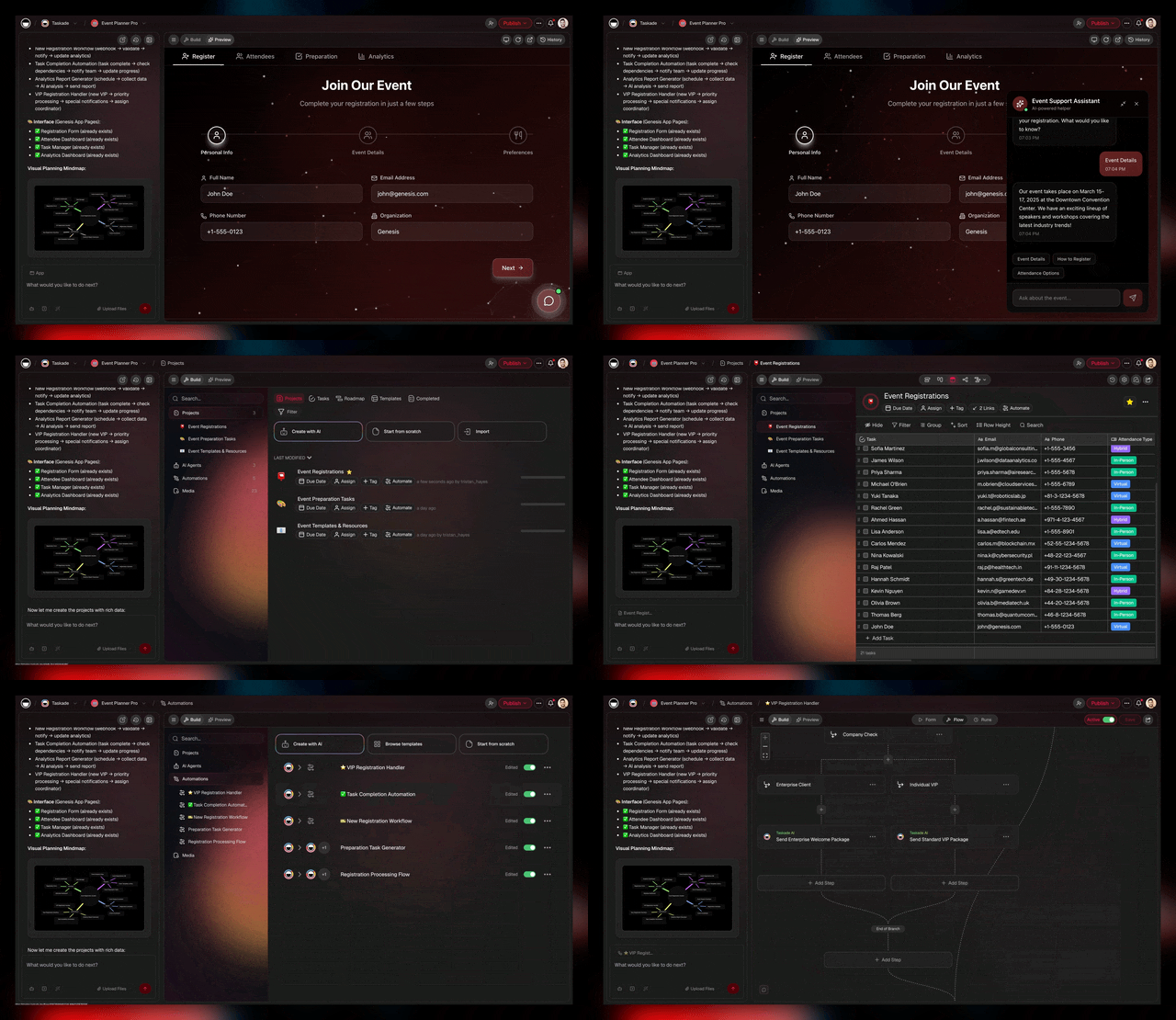
This repository is a template for your own App Kit. Fork or clone it, change the JSON files and import the result into your workspace. Found a problem with the template or its scripts? Open an issue in this repository. For a problem with the Taskade product, open an issue at taskade/taskade.
# 1. Fork or clone this repository
gh repo fork taskade/taskade-sample-app --clone
# or: git clone https://github.com/taskade/taskade-sample-app.git
cd taskade-sample-app

# 2. Install dependencies
npm install

# 3. Assemble dist/workspace.json and validate every file
npm run build

# 4. Import into Taskade
TASKADE_API_TOKEN=tskdp_... TASKADE_WORKSPACE_ID=... npm run import

# Or export an existing workspace into this repo
TASKADE_API_TOKEN=tskdp_... TASKADE_WORKSPACE_ID=... npm run export
Steps 1 to 3 need no Taskade account. Step 4 and the export need a Personal Access Token, see Environment Variables.
Taskade is an AI-native workspace where one prompt builds a running app with its own data, AI agents and automations.
Taskade Genesis turns one prompt into a running app: projects store the data, AI agents do the thinking, automations run the work across 100+ integrations, and the interface is built for you. This repo is a sample Taskade Genesis App Kit. It stores the Workspace DNA of one app as files.
Workspace DNA has three parts: Memory, Intelligence and Execution. The app interface sits on top of them:
| Layer | Folder | What it does |
|---|---|---|
| Memory | projects/ |
Structured data: task trees, checklists, notes |
| Intelligence | agents/ |
AI agents with custom commands and personas |
| Execution | automations/ |
Trigger-action workflows connecting services |
| Interface | apps/ |
Taskade Genesis app UI: React components that the app engine runs |
This repo contains one JSON file per DNA item, in the same format that the Taskade bundle import and export API uses. No build toolchain required to understand or edit.
taskade-sample-app/
├── manifest.json              # App metadata (name, version, author)
├── agents/
│   ├── research-agent.json    # AI research analyst (3 commands)
│   └── content-writer.json    # AI content writer (3 commands)
├── automations/
│   ├── weekly-digest.json     # Webhook → AI summarization
│   └── new-task-notification.json  # Webhook → Slack notification
├── projects/
│   ├── getting-started.json   # Onboarding checklist
│   └── roadmap.json           # Product roadmap with phases
├── apps/
│   └── hello-world.json       # Sample Taskade Genesis app (React + Tailwind)
├── media/
│   └── icon.svg               # App icon
├── scripts/
│   ├── assemble.ts            # Combines folders → workspace.json
│   ├── validate.ts            # Validates against SpaceBundleData schema
│   ├── import.ts              # Uploads to Taskade via API
│   └── export.ts              # Downloads a workspace via API
└── dist/                      # (generated) assembled bundle
    └── workspace.json
Each folder maps to one part of a Taskade workspace:
GitHub Repo                    Taskade Workspace
═══════════                    ═════════════════
agents/*.json          ──►     AI agents
automations/*.json     ──►     Automations
projects/*.json        ──►     Projects
apps/*.json            ──►     Taskade Genesis app UI
Each JSON file is the same data shape that the Taskade bundle API uses (SpaceBundleData v1). You can:
- Export a workspace from Taskade → get these JSON files
- Edit the JSON files in any editor
- Import back into Taskade → get a working workspace
Each published App Kit in the Taskade App Factory shows the same parts, with a Clone App Kit button that copies them into your workspace:

| Command | What it does |
|---|---|
npm run export |
Pull a workspace into local JSON files (bundle export needs the Pro plan or higher, see pricing) |
npm run validate |
Validates all JSON files against Taskade schemas |
npm run assemble |
Combines all items into dist/workspace.json |
npm run build |
Assemble + validate (both steps) |
npm run import |
Upload workspace.json to a Taskade workspace |
-
Add an agent: Create
agents/my-agent.jsonwith anAgentTemplate:{ "version": "1", "name": "My Agent", "commands": [ { "id": "default", "name": "Default", "prompt": "You are a helpful assistant.", "mode": "default" } ] } -
Add an automation: Create
automations/my-flow.jsonwith aFlowTemplateV2:{ "version": "2", "flowTitle": "My Flow", "trigger": { "type": "WEBHOOK", "valid": true, "settings": {} }, "actions": [] } -
Add a project: Create
projects/my-project.jsonwith a taskastRoot:{ "type": "root", "children": [{ "type": "text", "id": "root", "text": { "ops": [{ "insert": "My Project\n" }] }, "children": [] }] } -
Add a Taskade Genesis app: Create
apps/my-app.jsonwith aFileSystemTree:{ "src": { "directory": { "App.tsx": { "file": { "contents": "import * as React from 'react';\nexport default function App() {\n return <div>Hello World</div>;\n}\n" } } } } }The file system tree mirrors the file structure of a Taskade Genesis app. Each file node has
{ file: { contents: "..." } }and directories use{ directory: { ... } }. -
Run
npm run buildto assemble and validate.
| Variable | Required | Description |
|---|---|---|
TASKADE_API_TOKEN |
For import and export | Personal Access Token (tskdp_...) |
TASKADE_WORKSPACE_ID |
For import and export | Target or source workspace ID |
TASKADE_API_URL |
No | API base URL (default: https://www.taskade.com) |
Get your API token at taskade.com/settings/api.
- Build an app with Taskade Genesis
- AI app builder
- AI agents
- Taskade App Factory: App Kits you can clone
- Hosted MCP server at
https://www.taskade.com/mcp, part of every paid plan - Taskade API Docs
- Taskade MCP Server on GitHub
MIT
Build an app from a prompt · Taskade App Factory · Docs · Agent skills · MCP server